Historical post from January 6, 2023, revised for the redesign. The example used pypiserver 1.5.1; current setup may differ. Check the pypiserver documentation before using it.
Sometimes you want your own Python package repository on the local network – for example, to distribute packages between development and target machines without uploading them publicly. Instead of copying files by hand, pip can handle the installation.
This example builds on the pypiserver documentation and ran on my Raspberry Pi 3. You need Python 3, venv and pip; some knowledge of Python packaging helps too.
Prepare
First update the packages:
sudo apt update
sudo apt upgrade
Then create a virtual environment without sudo and install pypiserver and passlib:
mkdir -p app
cd app
python3 -m venv ./pypiserver
cd pypiserver
source ./bin/activate
python -m pip install pypiserver passlib
mkdir packages
pypi-server --versionThe original example reported version 1.5.1. Next create a login. Note: -c creates the file and overwrites an existing password file.
htpasswd -sc htpasswd.txt pypiuserYou will be prompted for the password. If htpasswd is missing, install apache2-utils on a Debian-based system. Don't enter real passwords into a third-party online generator.
Start the server
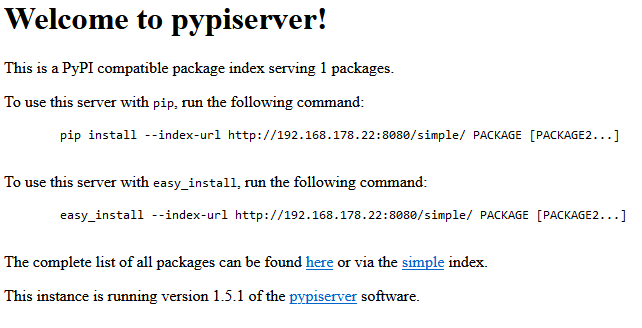
pypi-server run -p 8080 -P htpasswd.txt ./packagesOn the Raspberry Pi you can check the server at http://localhost:8080. This is just a test. HTTP encrypts neither credentials nor packages; for network access use an appropriate HTTPS setup and access restrictions. Don't expose it to the internet without checking the configuration.
Upload packages
On the development machine we can build and check a prepared package, then upload it with Twine. Install build and twine there first; the package configuration belongs in the project. The address is a placeholder for your own HTTPS server. Twine prompts for the password rather than putting it in a command-line argument:
python -m build -o ./build
python -m twine check build/*
python -m twine upload --repository-url https://DEIN-SERVER:8080 build/* -u pypiuser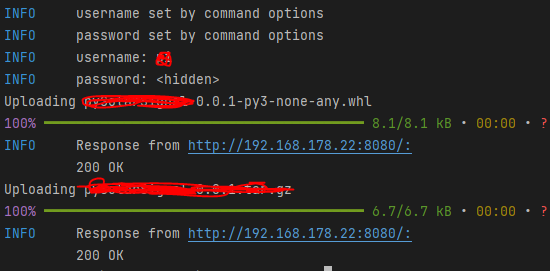
Test the installation
Now a dry run with pip. Replace the address and package name with your own:
python -m pip install --index-url https://DEIN-SERVER:8080/simple/ PACKAGENAME --dry-runThat's it: distributing packages locally while still using pip. Set up authentication, TLS and the current server configuration for your own environment.